Opera Mailbox Forensics- Complete Guide on Opera Analysis


Every individual uses email applications, preferably free email clients, to meet their communication needs with the end-users. Among the many free email apps, Opera Mail stands out as a powerful tool. It lets you manage multiple email accounts, browse the web, subscribe to feeds, and much more. You can use it on Windows, Mac, and Linux.
Opera Software developed Opera Mail, formerly known as M2, as an email and news client. Being a free email application, a majority of users prefer to use its services to send and receive email messages. This could be one of the reasons behind the increase in cybercrime attacks, wherein the attacker uses this freeware email client. As a result, there comes a need for Opera mailbox forensics to examine the suspected emails. So, let’s get started on the proven approaches to investigating emails from Opera Mail in a hassle-free way.
How to Investigate MBS File – Opera Mailbox Forensics?
In order to view the email header of the suspected email, simply follow the steps:
1. At first, Double-click the Email Message from which the email header is to be examined
2. Then, right-click the email from the top portion and select the View All Headers and Message option
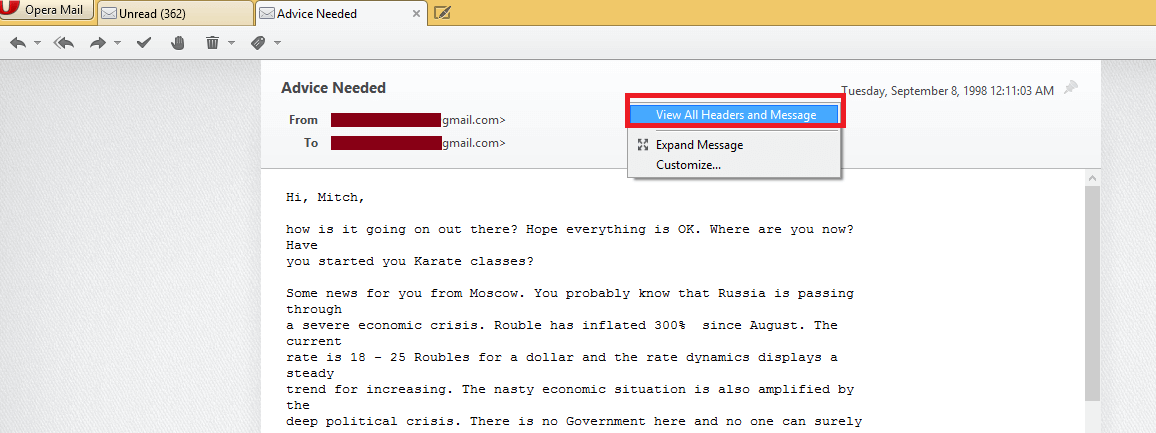
3. After this, analyze email header by selecting the email message.
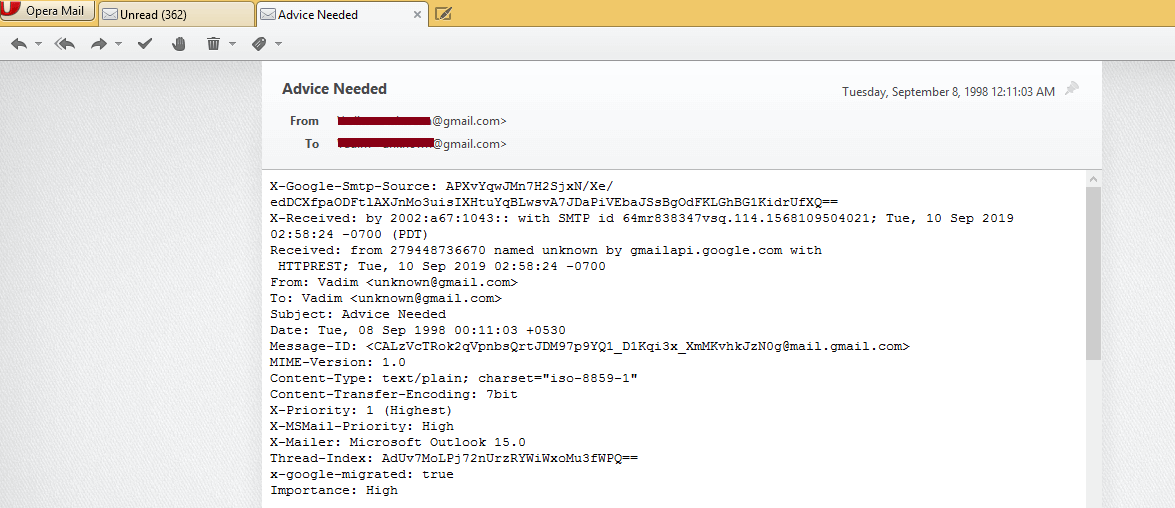
- Analyzing the Header: The header of an MBS file stores routing information of the message. Along with this, fields of email header like SPF, Domain-Key Signature, Return-path, Message ID, etc. gives hint about the authenticity of the email message.
- Checking the Hop: Hop of an email gives an estimation about the number of servers through which the message has traversed to the receiver. The IP address of a domain can help analyze if a proxy server has been used in between to forge the email header.
- Verifying the HTML Source: The HTML source of the email gives a clue about what tactics have been used by the suspect to get information from the victim. This generally helps to identify theft cases.
What are the Challenges Faced by the Forensic Investigator?
Many a time, forensic experts have a deal with the analysis of numerous email application. However, each email program saves its data in its proprietary file format, hence examining the email files becomes a challenging issue. In the case of Opera Mail, it stores the data in the MBS file format. Therefore, one needs to install the supported email client to analyze the files in detail, which is not feasible all the time.
Then what could be the appropriate approach to analyze email files?
Use Best Ever Email Forensic Software to Examine Opera Mailbox
Under such circumstances, it is advised to use MailXaminer. This utility is designed by understanding all the challenges of the investigating officers. This is why it is capable enough to support email data files from 20+ email clients. With this versatile software, one can efficiently investigate the suspected emails, which is just a click away.
Wondering what makes the tool proficient enough to buy? Read on to know your query!
Here Comes the Highlighted Features of the Software
Below mentioned are some of the remarkable features of Opera Mailbox Forensics tool, so let’s have a look!
- Capable of supporting both desktop & web-based email clients
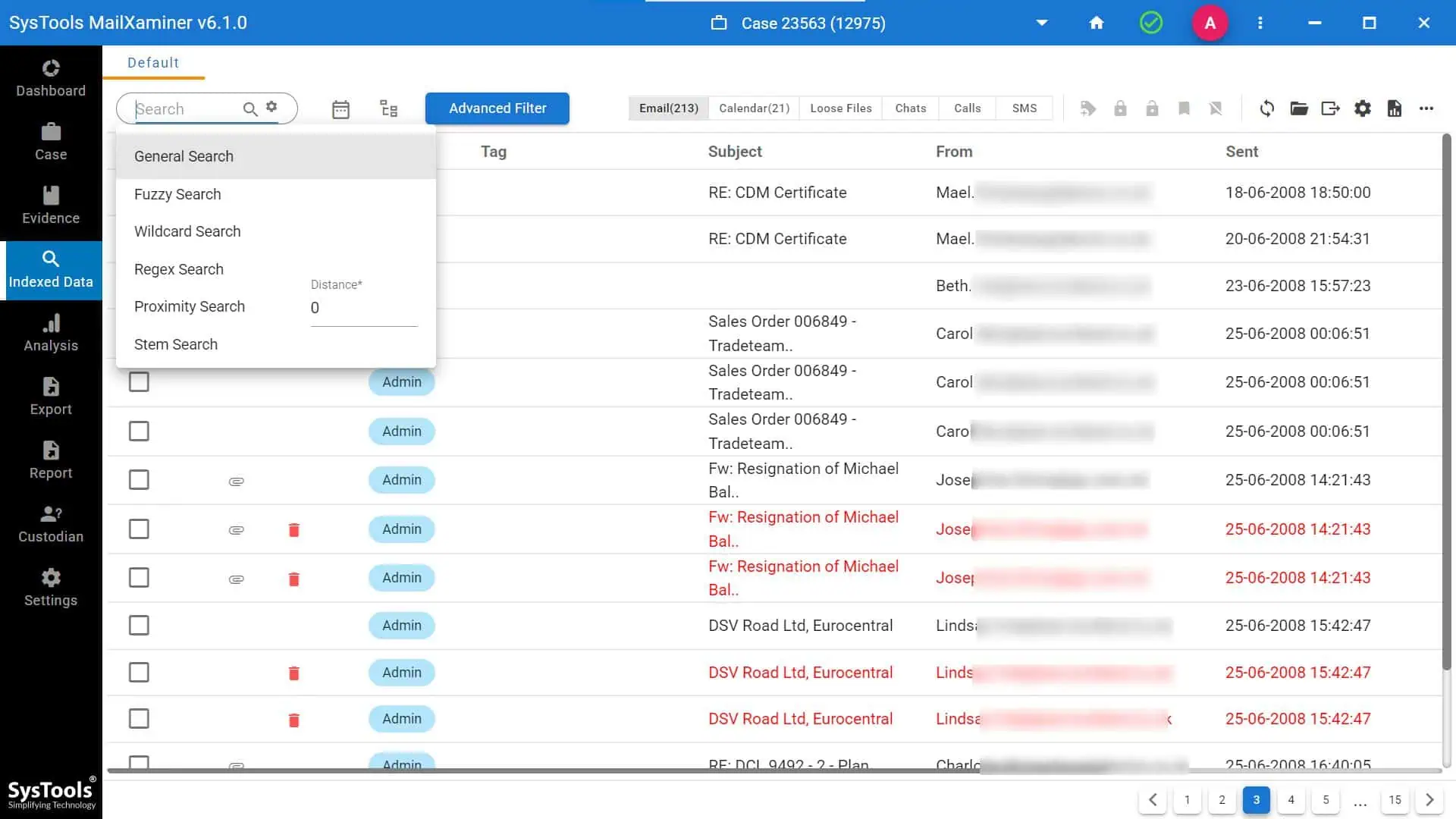
- Advanced search options- General, Fuzzy, Proximity, etc.
- Efficiently analyze Skype DB file
- Geolocation image mapping to find the image’s geographical location details
- Analysis of obscene images using the skin tone feature option
- OCR analysis to fetch out contents from uneditable files
- Various analysis options are included to analyze your email evidence more smartly. For example, link analysis, timeline analysis and word cloud etc
How to Perform Opera Mail Forensics to Analyze MBS File?
Using this software, one can effortlessly examine the information from the MBS file as follows.
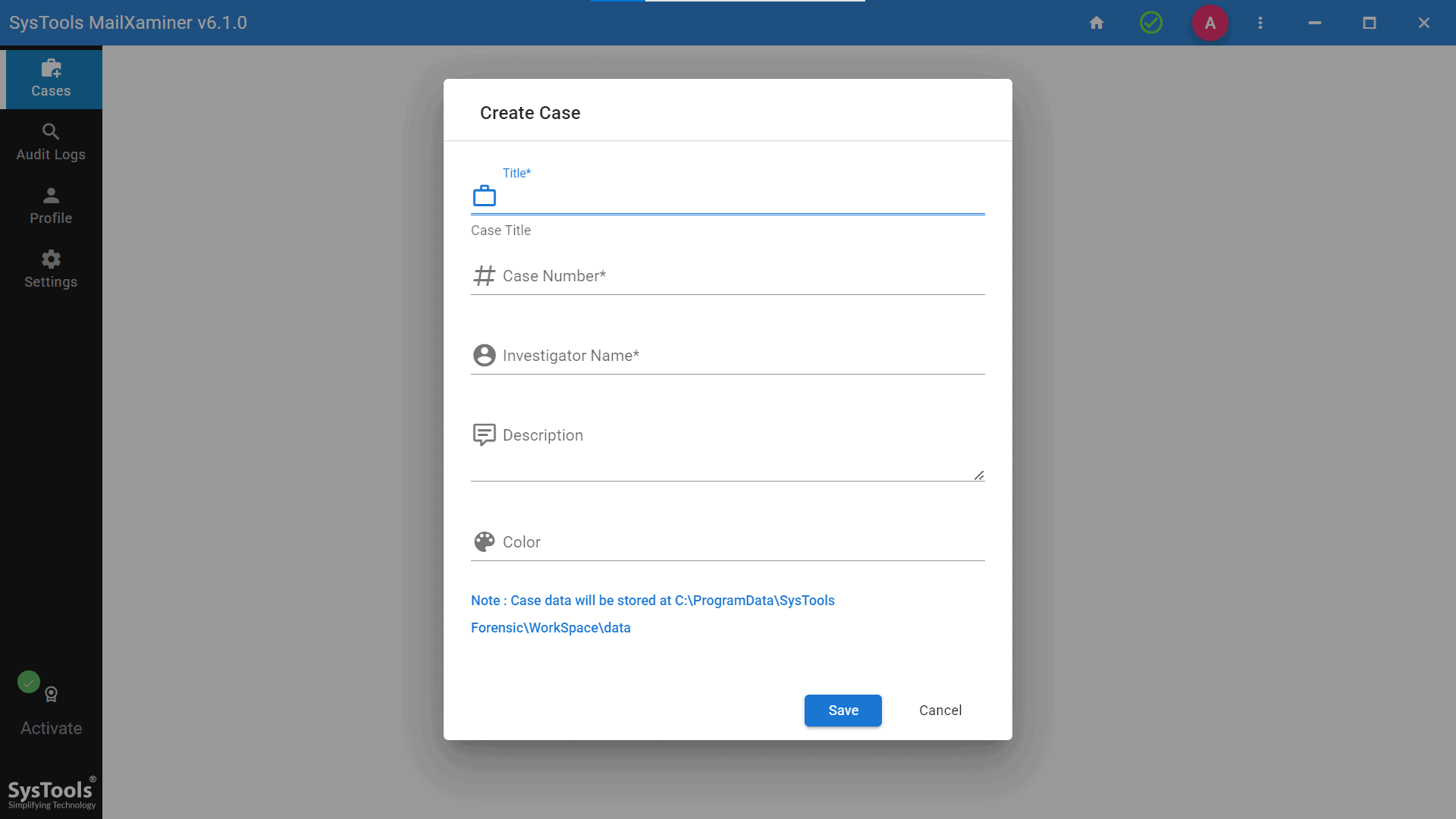
1. The user needs to create a case before adding a new evidential file. After which, the following pop-up wizard will appear, from which you need to create a new case.
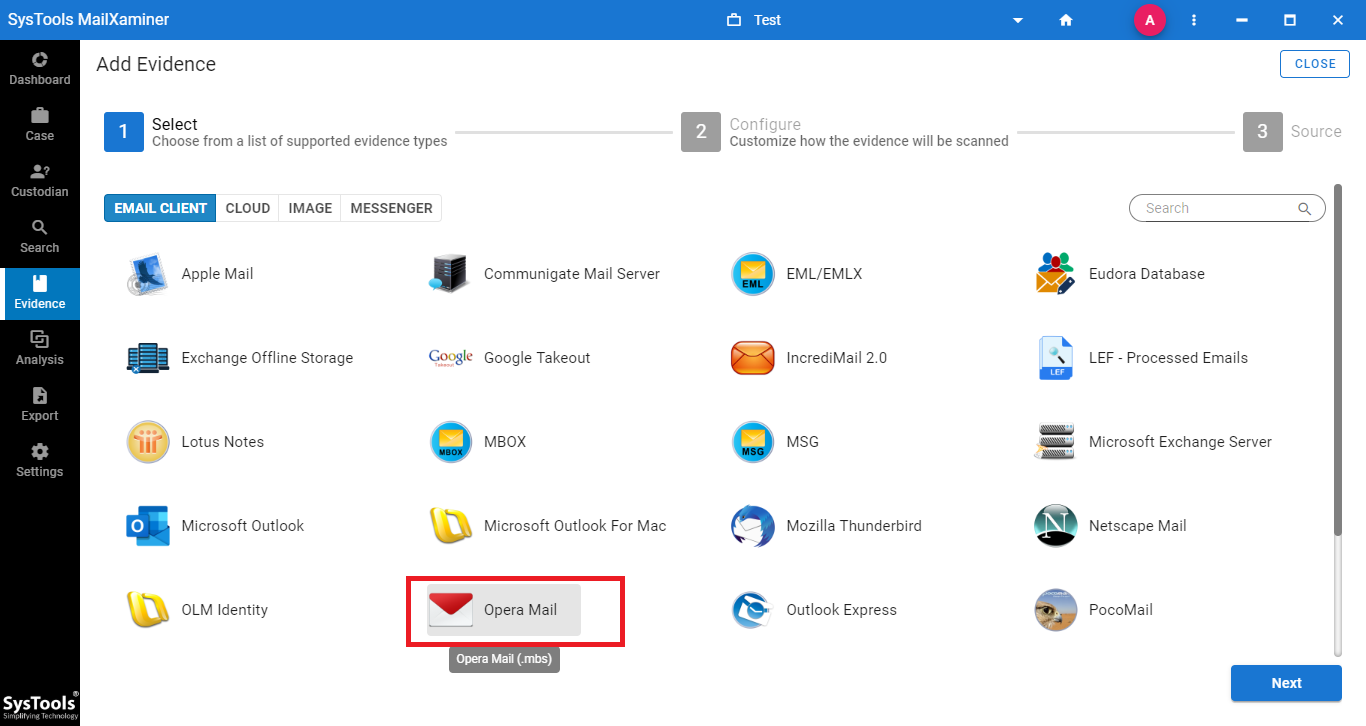
2. After creating the case, click the Add Evidence button. A new screen will appear where you can choose Opera Mail (MBS) as the file type and browse to the file’s location
3. After the file is uploaded, the software will scan the file and upon completion of scanning, switch to Search screen to view email evidence.
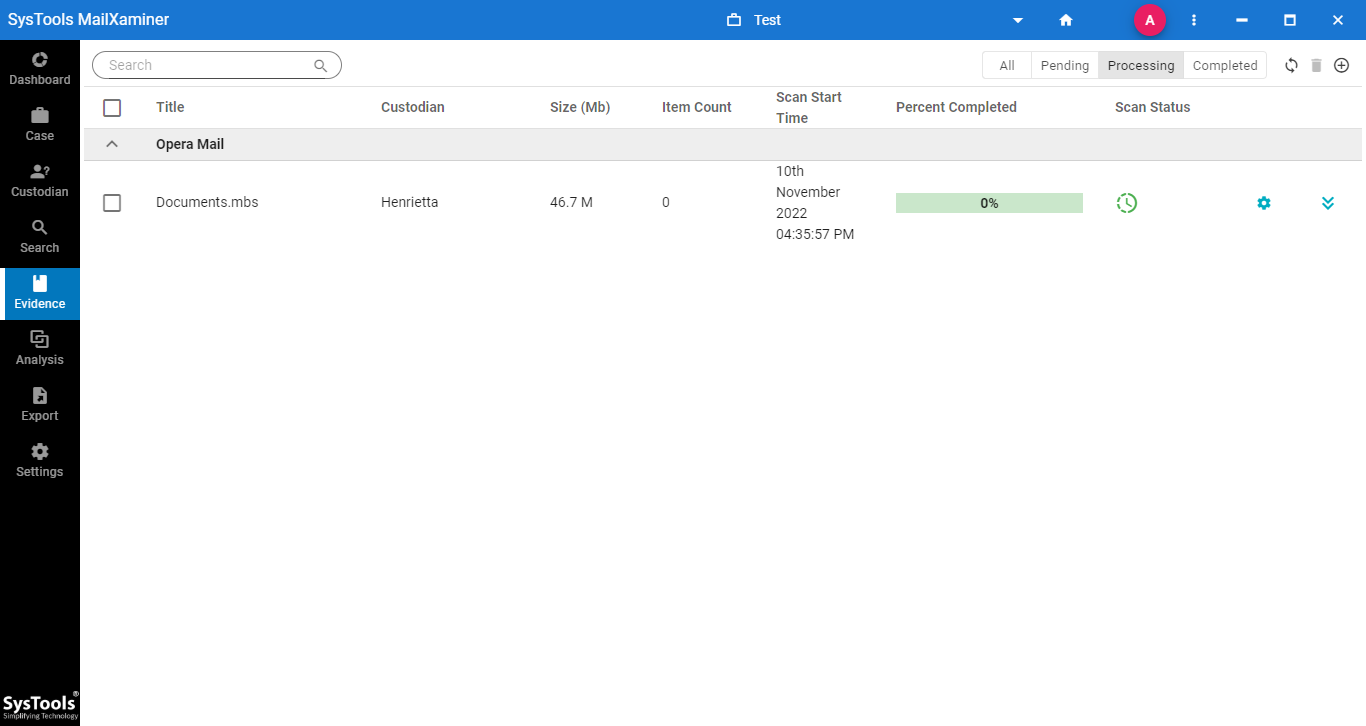
4. Now, the software will display all the emails from the selected MBS file
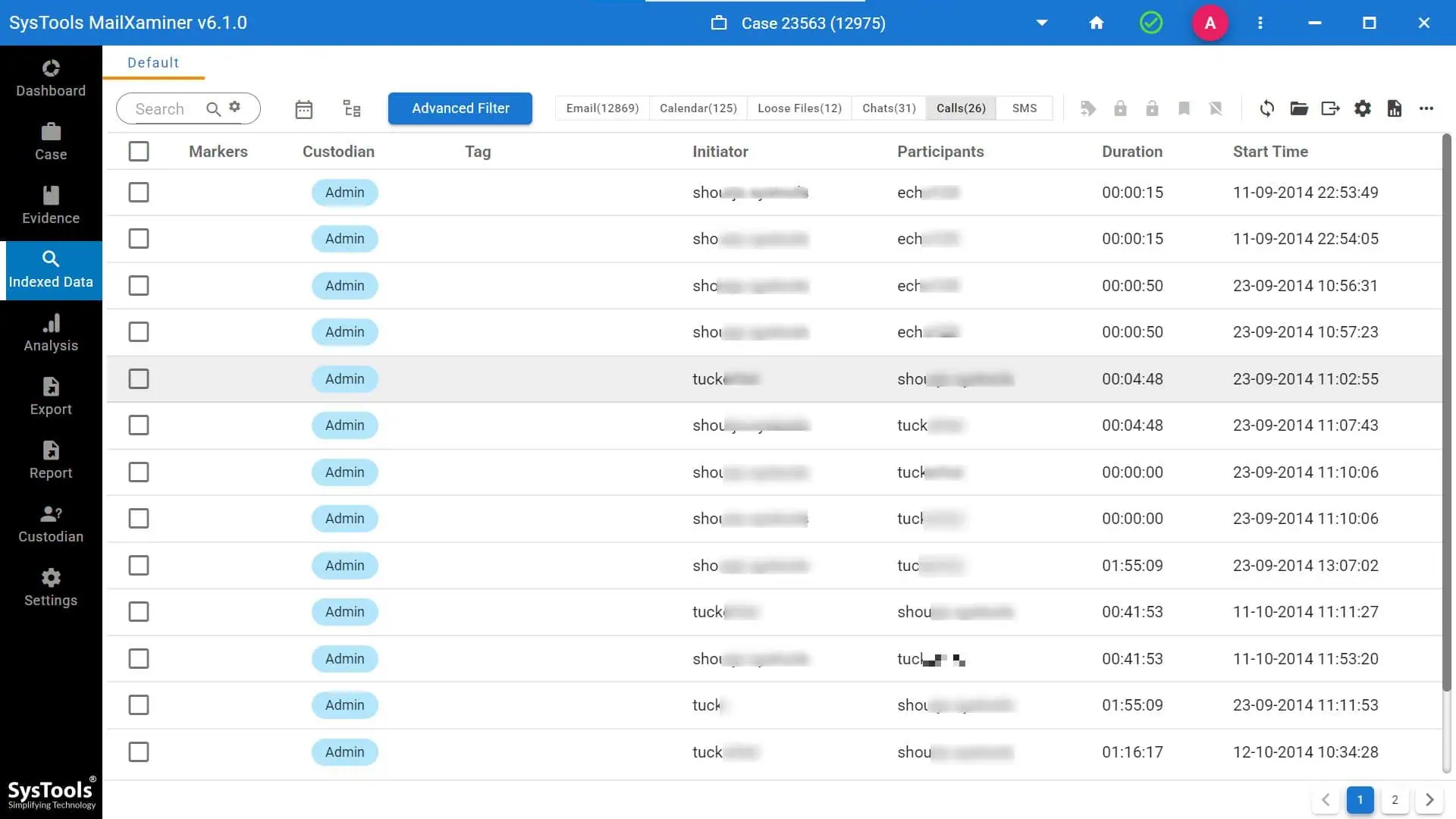
5. It also allows us to preview the emails in detail using different view modes. For that, click on the email messages and avail the 7+ Preview options

6. From the Search feature, one can avail of different search options such as General, Fuzzy, Stem Search, Wildcard Search, Regular Expression, etc.
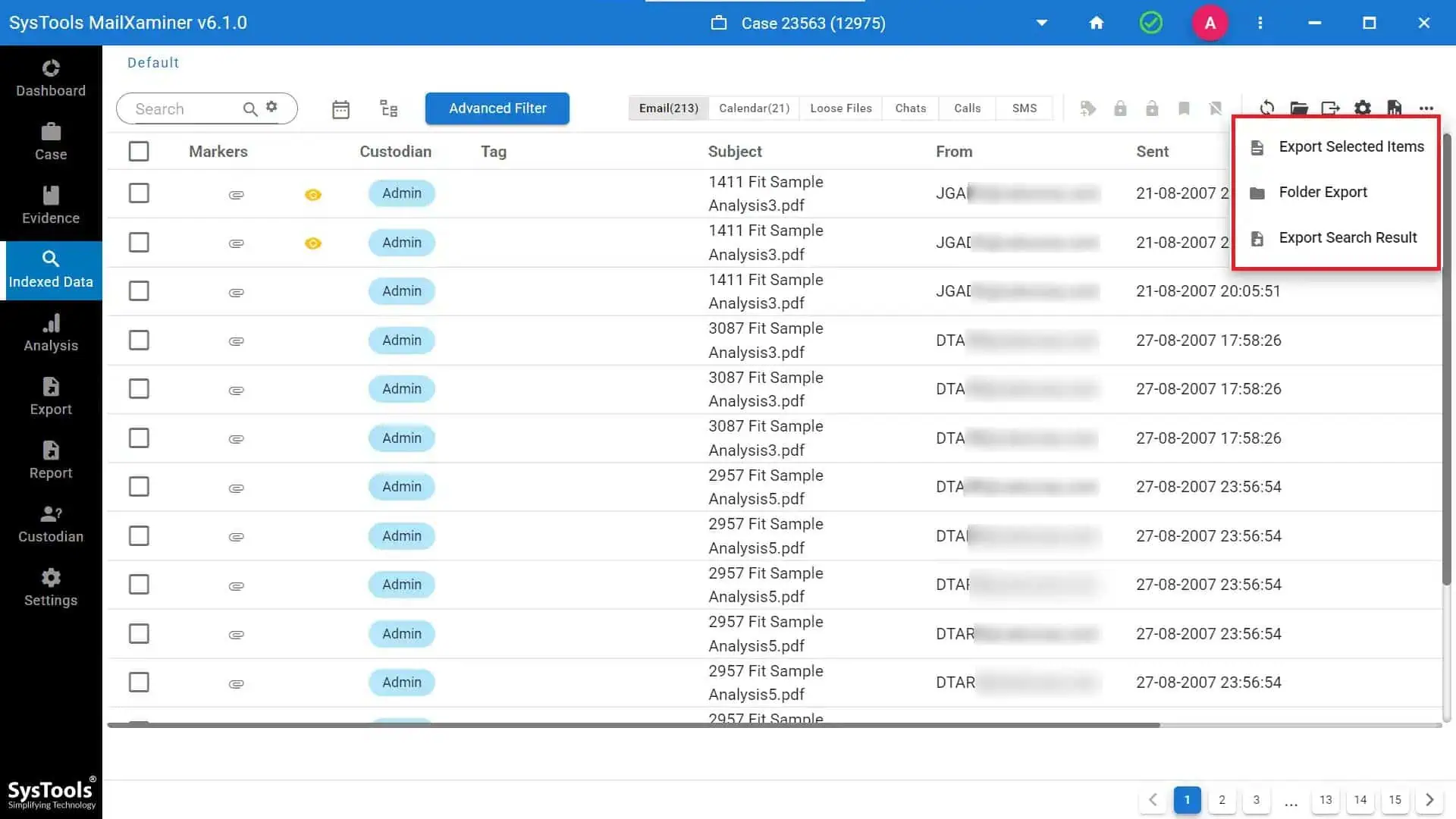
7. Now, to export the suspected emails in court-admissible file formats like PDF, etc. Simply click on the checkbox in front of the email files to select and and choose the Export option.
8. Then, select the file formats under the Export screen and browse the location to save the converted file. The user can enter the Job Title as well as a Note for the export job.
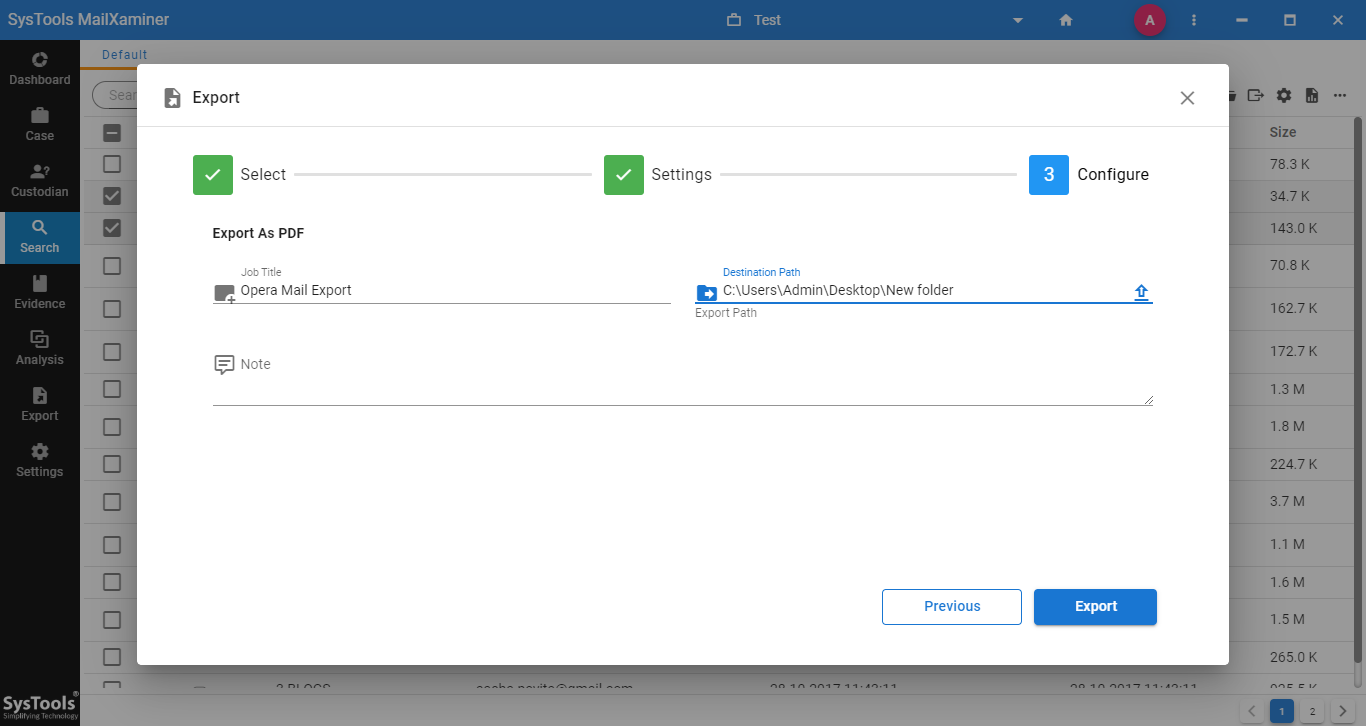
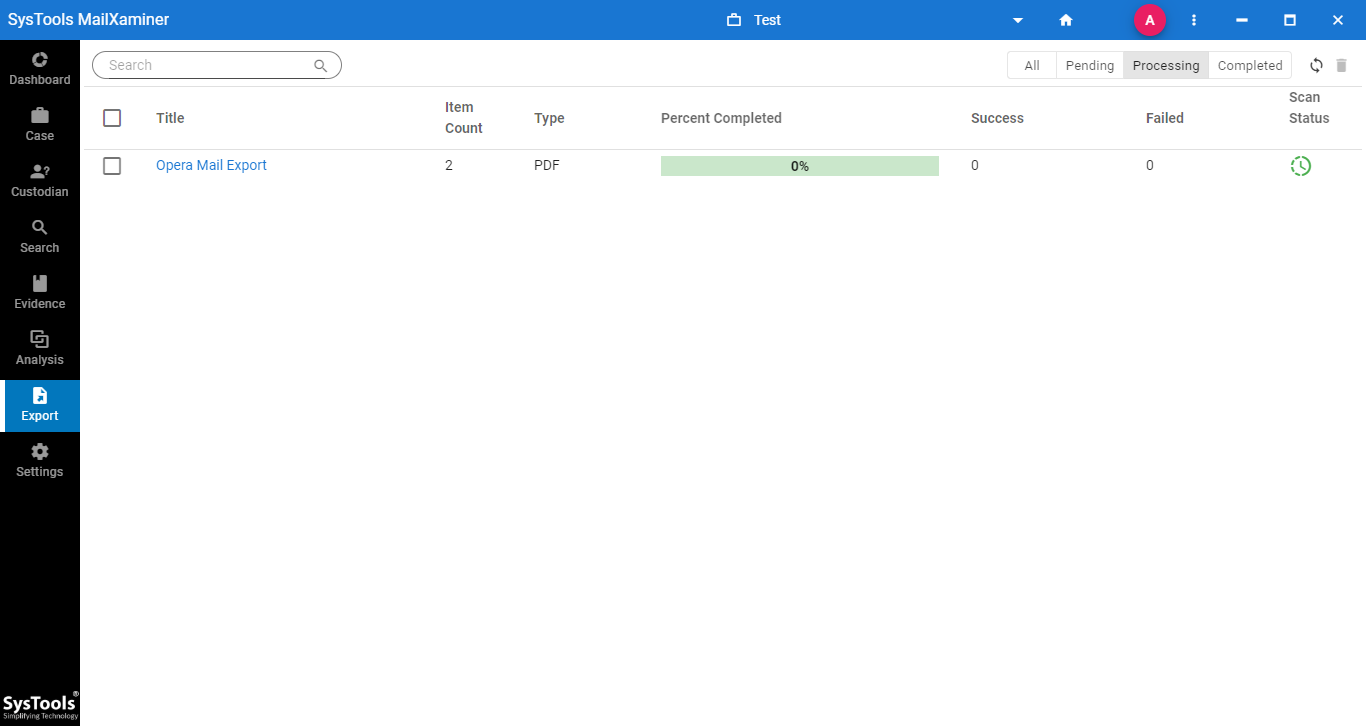
9. After the export finishes successfully, the system shows the following screen. After this, one can find the converted file saved at the mentioned folder location.
Concluding Remarks
As cybercrime attacks using free email clients like Opera Mail have increased, experts now need to perform email forensic investigations. The above-mentioned Email Forensic Tool is an advanced email analysis tool that makes this cumbersome task of Opera Mailbox Forensics from the Opera Mail MBS file effortless.