How to Make Forensically Sound Copies of the Digital Information (Complete Guide)


Blog Overview – Creation of forensically sound copies of the digital information is one of the major steps that completes a digital investigation. If an investigator copies data the wrong way, he/she can accidentally change it. Once evidence is changed due to wrong information or in any way, the court will reject it. In this blog, we will explain the full process of how to make forensically sound copies of the digital information. Once you understand and apply this, your work will stand strong under legal examination.
Why This Is So Important
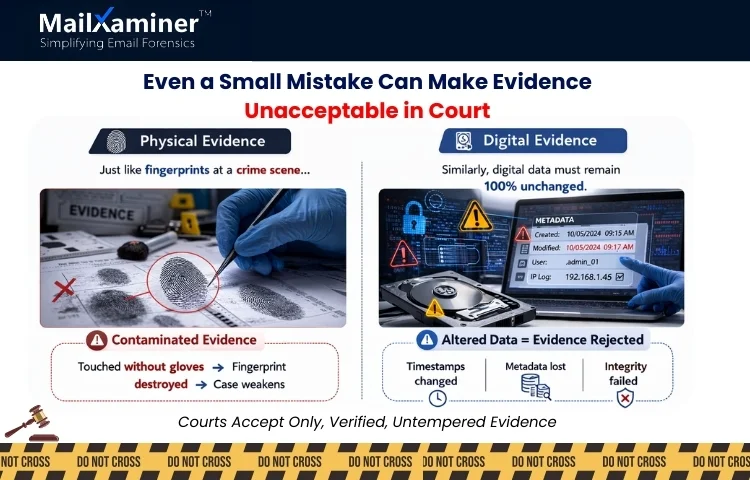
To understand this, we can think of it as a detective collecting fingerprints without gloves. Even an accidental or a small touch can tamper or destroy the evidence. Digital evidence also works the same way.
When we open files, forward emails or even plug in a hard drive. The system can update hidden properties like timestamps. The hidden details is called metadata. Courts accept evidence that proves that metadata and original content were not altered. This is the reason learning how to make forensically sound copies of the digital information is important. It protects integrity, credibility and legal admissibility.
How to Make Forensically Sound Copies of the Digital Information (Step-by-Step Process)
To understand and dig deeper, we will go through the digital forensic imaging process, which is used by professionals in corporate, law enforcement and legal investigations. Let us have a look at the steps involved. To give you a snapshot, this process includes 8 steps that starts with obtaining legal authorization and ends with securely storing evidence. Let’s look at each step in detail.
Step 1: Obtain Legal Authorization
Before the collection of any data, the first step is:
- Confirmation of legal approval.
- Defining the investigation scope.
- Identification of custodians (device or account owners).
- Document authorization clearly.
Evidence collected without prior permissions, approvals and authorization can be challenged. Even if they are technically perfect.
Step 2: Preserve the Evidence First
Preservation means the protection of the original state. Preservation is extremely important as a small thing, like if a system is powered off, one should not turn it on casually, as booting also can change system files. If a system is live:
- Document each and every running application.
- Record time and date.
- Capture volatile data if necessary (RAM).
We can think of this step as securing the crime scene before the collection of clues. We hope you are getting some clarity on how to make forensically sound copies of the digital information?.
Step 3: Use Write Blockers for Physical Devices
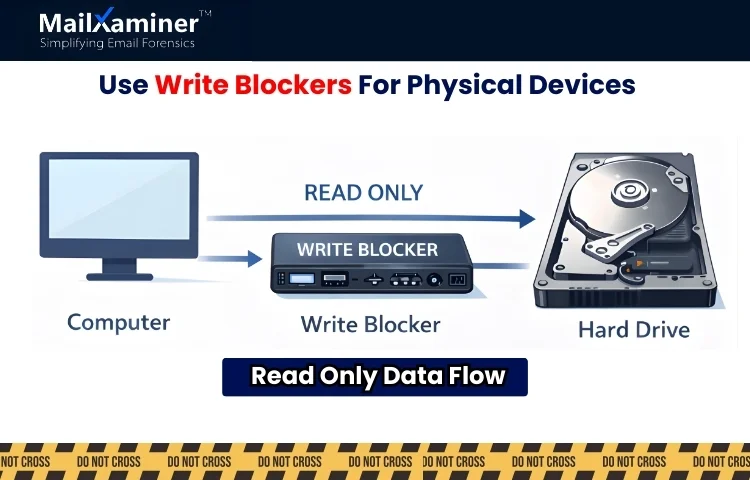
When you have a responsibility or task of imaging physical devices. Professionals use a write blocker. The role of a write blocker is to prevent the computer from writing any data to the original device. It converts the device to “read-only” mode. Without using a write blocker even a small step like connecting a drive may modify timestamps automatically.
Step 4: Create a Bit-by-Bit Forensic Image
This is one of the major steps. A simple file copy is not enough. As a forensic image captures each and every element of data on a storage medium, this can include
- Active files
- Deleted files
- File fragments
- System files
- Hidden partitions and unallocated space.
This is called a DD image file or bit-stream image for doing DD file forensics. We can think of it like cloning an entire hard drive section by section. Understanding this difference is important to how to make forensically sound copies of the digital information? correctly.
Step 5: Generate Hash Values (MD5 / SHA-256)
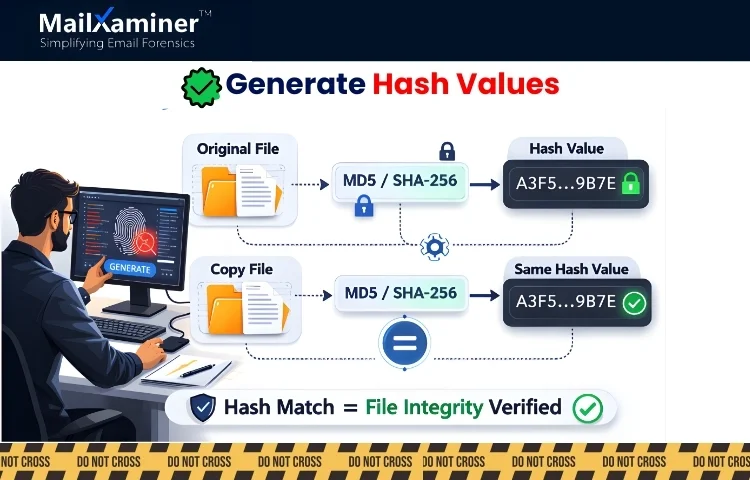
Hashing is a proof which communicates that a copy is identical to the original. A hash value is generated using cryptographic algorithms such as MD5 or SHA-256 (Secure Hash Algorithm 256 bit). The role of hash is to convert data into a unique string. Here is how professional investigators verify integrity:
- Generation of a hash of the original evidence.
- Create the forensic image.
- Generate a hash of the image.
- Compare both values.
If both the hash matches. The copy is exact. If they do not match, that means something has changed. Hash values can also be thought of as digital fingerprints. Courts rely heavily on this verification.
Step 6: Maintenance of Chain of Custody
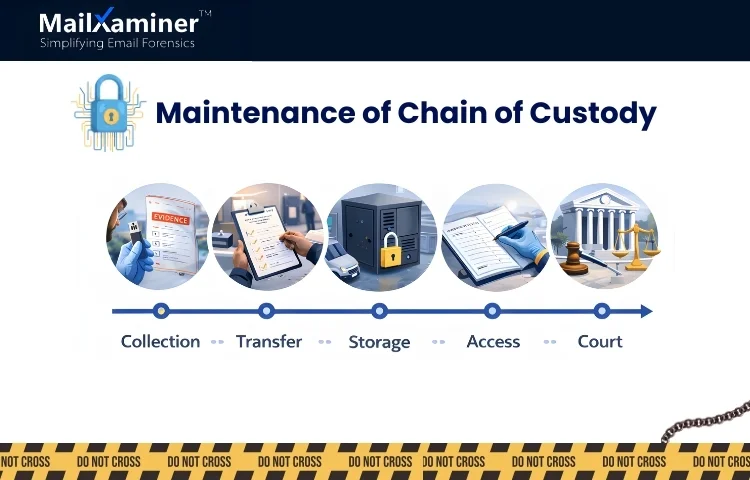
Chain of custody is a document containing information related to.
- Who collected the evidence.
- When it was collected.
- How it was stored and preserved.
- Who accessed it.
- When it was transferred.
If there is any gap in the documentation. The defence team can question authenticity. For more clarity, we can think of it like tracking a valuable shipment. If one cannot show its mapped journey. Trust disappears,
Step 7: Preservation of Metadata
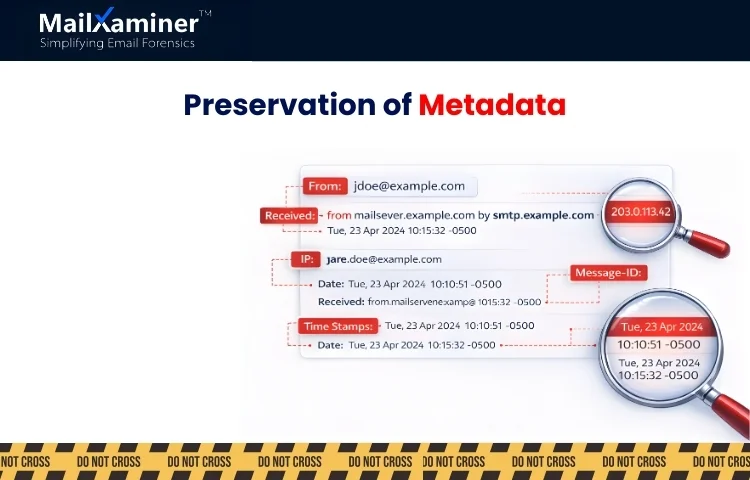
Metadata contains
- File creation dates.
- Last modified dates.
- Email headers
- IP addresses.
- Message IDs
- Routing paths
- Message IDs
- Routing paths
In email investigations, header data often shows more than the email content itself. Here, email forensics software are of great help. Opening mailboxes improperly, forwarding emails or exporting data without forensics safeguards can change metadata. This is the reason preservation is extremely critical in digital forensics. These small elements become important, and for this reason people ask how to make forensically sound copies of the digital information?.
Step 8: Secure Storage of Evidence
Once all the above steps are complete.
- Store forensic images in secure storage.
- Restrict access.
- Maintenance of backup copies
- Log each and every attempt at access.
Security and carefulness after collection are as important as the collection.
Mistakes That Damage Evidence
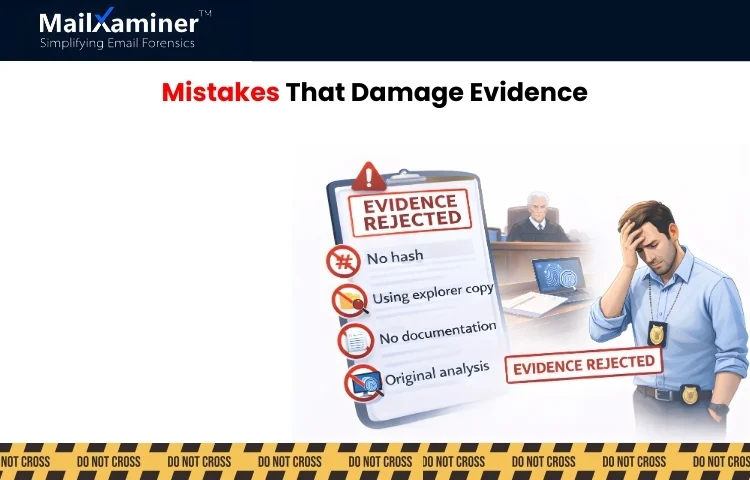
Now you clearly know how to make forensically sound copies of the digital information?. Let us go through some mistakes that many investigators make, and you as a professional should never perform.
- Copying files using the standard file explorer.
- Exporting emails to PST without hash verification.
- Performing analysis on the original evidence instead of the image copy.
- Failing to document every step.
- Using unsecured USB drives.
- Not assigning custodians.
Even doing a single mistake can compromise the integrity of digital evidence
Why Email Evidence Is More Complex
Email investigations involve unique risks such as
- Cloud-based storage
- Deleted emails stored in hidden areas.
- Complex header metadata.
- Multiple timezone stamps.
- Embedded attachments.
Email servers may also update timestamps automatically when accessed improperly. Due to this complexity, structured forensics tools like MailXaminer for safe and accurate analysis. This helps you with your query of how to make forensically sound copies of the digital information.
How Structured Forensic Platforms Help
Modern forensics platforms perfectly align with EDRM (Electronic Discovery Reference Model). Instead of depending on manual steps. Professional tools provide.
- Support for DD disk image analysis.
- Automatic MD5 or SHA-256 hashing.
- Metadata preservation.
- Custodian management.
- Audit logging.
- Structured reporting.
Using structured forensics workflows reduces human error and strengthens admissibility.
Final Thought: Integrity Is Everything
When learning how to make forensically sound copies of the digital information, remember one simple truth: Speedy research does not protect evidence. Process, deep research and correctness protect evidence. A proper forensic image, verified hash values, preserved metadata and a proper, well-documented chain of custody are not optional. They are the foundation of trust.
Frequently Asked Questions (FAQ)
Q – What is a forensically sound copy in digital forensics?
A – Forensically sound copy is an exact duplicate copy of original data which is verified using hash values and that can be proven unchanged in court.
Q – How to make forensically sound copies of the digital information? safely?
A – We can do this by using a bit-by-bit forensic image, generating verifiable hash values, maintaining a chain of custody and avoiding altering the original evidence.
Q – Why is hashing important in digital evidence collection?
A – Hash creates a digital fingerprint of data. This proves that the copied evidence is identical to the original and has not been tampered with.