How to Recover Deleted Emails from Outlook? Complete Guide


One of the most valuable capabilities of forensic tools is their ability to recover deleted email messages. When an email is deleted in Outlook, it isn’t immediately erased from the system. Instead, the space previously occupied by that data turns into what’s known as “white space.” This area remains intact until Outlook or the user decides to compact or compress the PST file.
Outlook periodically performs this compression process, usually when the system is idle and the application is still running. During this process, white spaces are overwritten with new data, making it impossible to recover the deleted emails afterward. However, if the PST file hasn’t been compacted yet, those deleted messages may still be retrievable using advanced forensic methods.
Technical Challenges to Recover Deleted Emails from Outlook
The forensic examination of email messages is an important aspect in the digital forensic process. The legal process of digital investigation has many existing technical challenges. The legal procedure for the juridical agencies is needful for the existence of data. In Outlook, there is no proper recovery technique provided that will help the investigators restore deleted Outlook email messages for the examination of evidence.
Examination of Microsoft Outlook data files i.e., OST or PST files, is quite a complicated task and it is a time-consuming process. Therefore, investigators need a proficient forensic solution like MailXaminer. It is the advanced email analysis software that will help investigators correlate data by analyzing OST/PST files from a number of computers. The smart filtering process and keyword search techniques that can help them make the investigation procedures more convenient.
Analyzing Technicalities of Email Process Using Software
Often, investigators need to work a lot on creating links between messages to correlate the path of communication between sender and receiver. While doing so, they waste timeline analysis. In such a case, using an intelligent tool that can carefully draw out the mode of communication is really beneficial.
Considering the technicalities that are there above, it becomes very essential to seek help from an automated tool. It could resolve all the queries associated with the investigation procedure of an Outlook OST/PST file. Additionally, a forensic investigator can easily recover deleted emails from Outlook to carve the evidence. Our email forensic tool shows its proficiency in resolving all the complexities associated with the evidence examination.
Have a Look at How the Tool Work Effortlessly
Automated software is one of the most versatile tools for investigation procedures with the integration of a wide range of features and functionalities. Considering its technological aspects, it has worked well to resolve many of the well-known investigation cases.
With respect to the competent features, it proves to be a helpful application for forensic investigators. It effortlessly resolves the investigation cases and helps to come up with culpable evidence quickly. Let us comprehend its performance by having a look at its ability to examine Outlook files and restore deleted email messages.
How to Recover Deleted Emails from Outlook Easily?
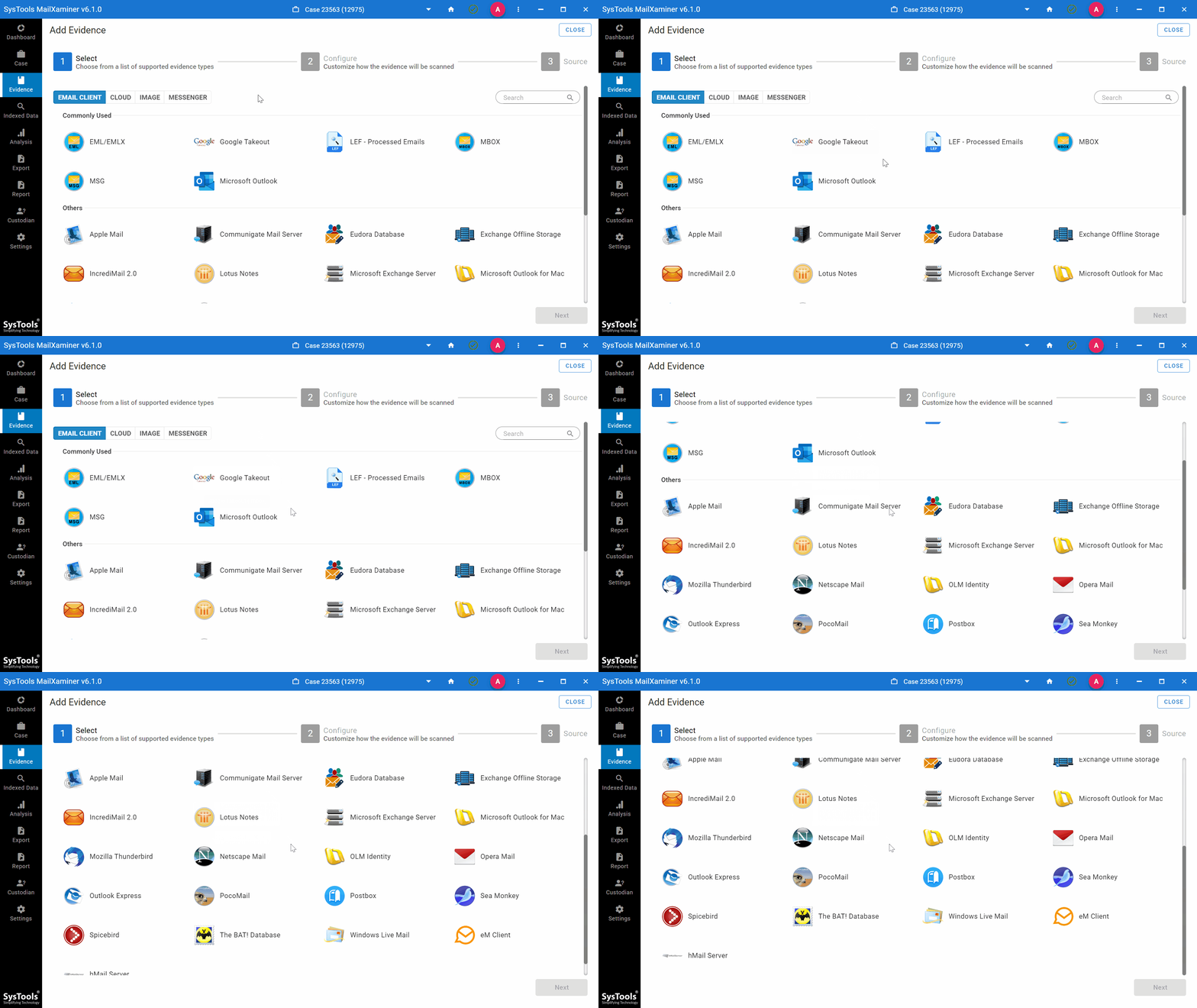
Set up the software in the system and load the OST/PST file on the tool as evidence. it performs a scan of all the items to recover the permanently deleted items. Software will offer various options for email clients.
Analyze Recovered File in Different Views
Further, to examine deleted messages thoroughly, the application offers the feature to provide different views of the same message. Also, you will see the red bin icon in emails which has been deleted. These deleted emails are highlighted in red, making it easy for users to quickly identify and review them
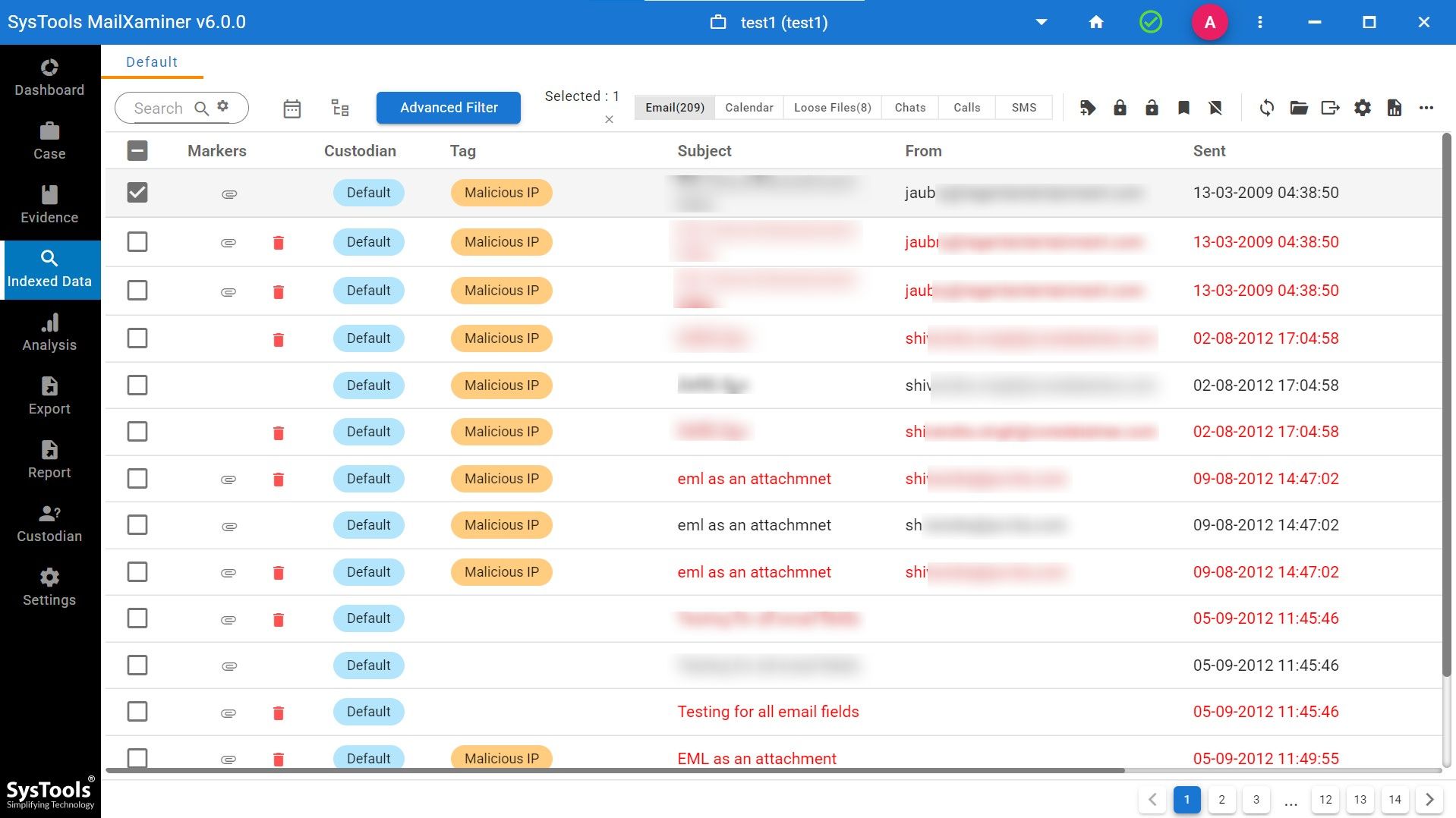
Moreover, it will allow you to choose different preview modes, including Message, Attachments, Properties, Message Header, MIME, HTML, RTF, and Hex.

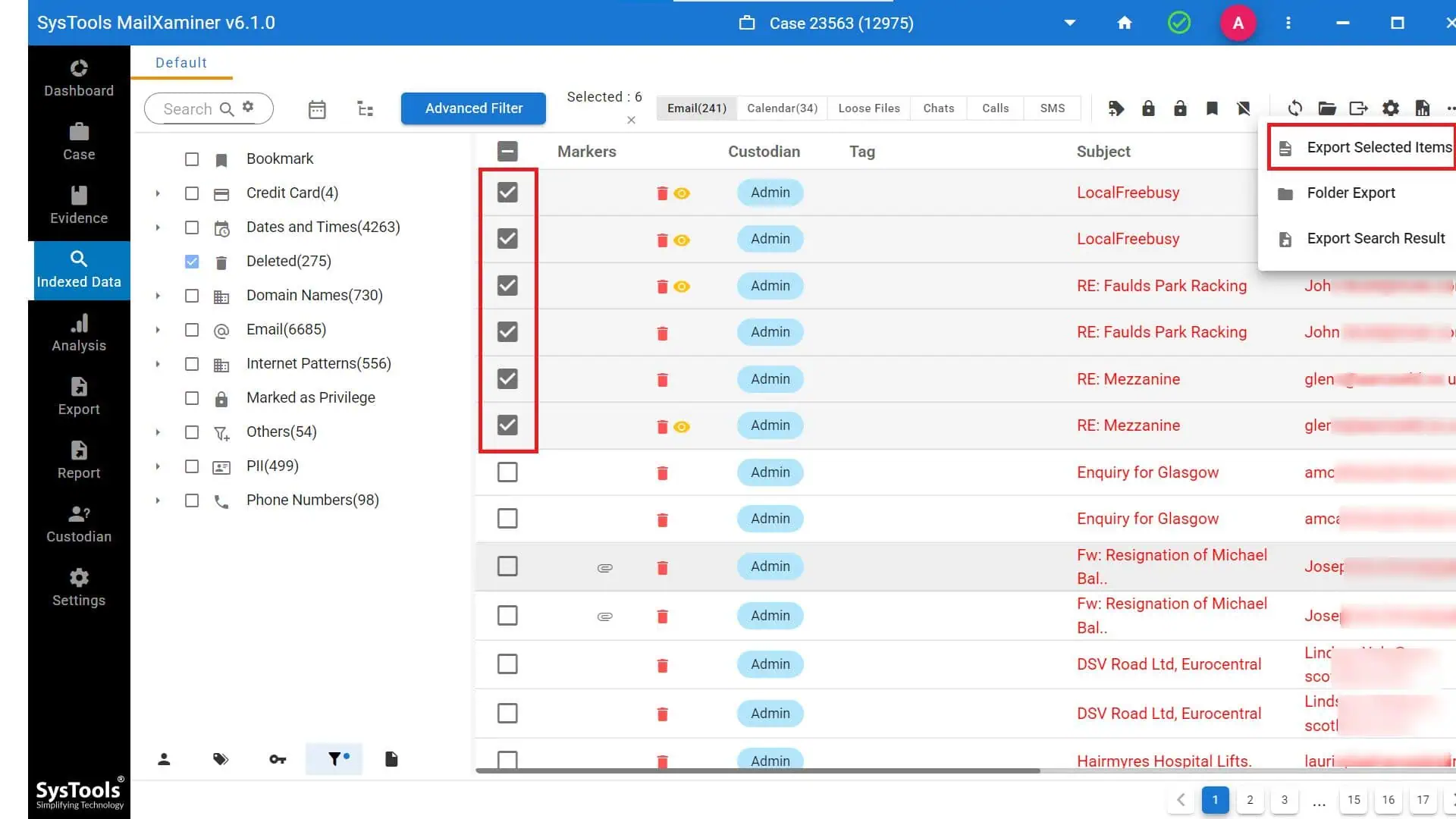
If you wish to save the recovered data to your local system, select the desired emails and click on “Export Selected Items.” Then, choose the preferred file format in which you want to export and store the recovered emails.
Final Words
While conducting the investigation process, one of the major tasks is recovering deleted or lost data. Whether the cause of data deletion is accidental or intentional, investigators must recover it for proper investigation. As there is no manual process to recover deleted email from outlook, investigators usually opt for efficient forensic tools.
It is the feature-rich email forensic software that enables the recovery of deleted emails in Outlook. Moreover, users can search the evidence in the recovered email files using its versatile features in a convenient and systematic manner.