How to Find PII Data in Emails? Secure Personal Information


Personally Identifiable Information, i.e, PII, often hides in inboxes, whether it’s in message bodies, headers, attachments, and even archived threads you’ve forgotten about. Email accounts are actually a treasure trove of names, phone numbers, addresses, ID numbers, and financial details. So, the risk in them is real as well. If it got exposed, all this sensitive data can be exploited by cybercriminals to identify a phishing email, identity theft, or financial fraud.
At the same time, privacy regulations like GDPR, HIPAA, and CCPA make it your responsibility to know where PII is stored and also ensure it’s protected. The challenge is that PII isn’t always obvious.
The challenge is that PII isn’t always obvious. It can be scattered across structured fields like “From” and “CC,” or buried in unstructured text like attachments and signatures.
In this guide, we’ll break down how to find PII data in emails, covering what qualifies as PII, why it matters, proven discovery methods, top tools, and best practices. By the end, you’ll have a clear roadmap to locate and secure personal data inside your email environment.
What is Personally Identifiable Information (PII) and Why It Matters?
PII stands for Personally Identifiable Information. This is the type of individual data that refers to any data or information that can be used to identify a specific individual. PII includes a wide range of personal details that, when linked together, can create a clear picture of an individual’s identity. Common examples of PII include:
Full name
Social Security number
Driver’s license number
passport number
Date of birth
Address
Phone number
Email Address
Financial account numbers (e.g., bank account or credit card numbers)
Biometric data (such as fingerprint or retina scans)
Medical records
Employment information
Vehicle registration information
PII exists in structured forms (such as database fields or email headers) and unstructured forms (attachments, message bodies, scanned documents). Emails often contain both.
Another question is, why does this matter?
So, beyond the security risks like phishing or identity theft, failing to manage PII can put you in violation of data privacy laws. Regulators impose strict penalties on organizations that can’t demonstrate control over personal data.
That’s why knowing how to find PII data is not optional. It’s the first step toward securing sensitive information, maintaining compliance, and protecting trust between you and your clients, colleagues, or users.
Some Proven Methods to Discover PII Data
It is not an easy approach, and not even a single manual way. Here are some of them that are listed below:
Automated Scanning- Machine learning can detect common PII formats like phone numbers, credit card data, or email addresses. Many scanners integrate with email clients to search inboxes and attachments directly.
Monitoring Data in Motion- Emails traveling through servers can be monitored with a proxy or traffic analysis. This helps catch PII that’s being sent outside your domain, such as attachments with ID scans.
Log and Telemetry Analysis- Email server logs often contain addresses, IPs, or identifiers. Scanning logs for PII patterns can uncover overlooked exposure points.
Manual and Hybrid Review- For sensitive cases, manual review may be necessary. For example, verifying whether a number detected by regex is actually a credit card or just random digits.
Using these methods together ensures you don’t miss critical information. Automated scanning offers scale, while human review adds context. Together, they form a layered approach to how to find PII data accurately and reliably.
One Best Solution & Technology for PII Information Detection
In search of PII information in data is actually not easy to find PII in email data. Manual searching is almost impossible at scale. This is the reason why organizations and investigators rely on specialized PII detection tools. There is advanced email analysis software that can easily detect your PII / PHI information from the email files, whether it is in any file format. These are designed to handle both structured and unstructured data.
The PII information software provides are:
Voter card
Permanent Account Number (PAN)
American Express Number
National Insuarance Number
Aadhar Card
UPI ID
Social Security Number
Driving Liense (India)
Dinner Club
Passport Number(India)
Bank Sort Code (UK)
How does the Software help to find PII information Easily?
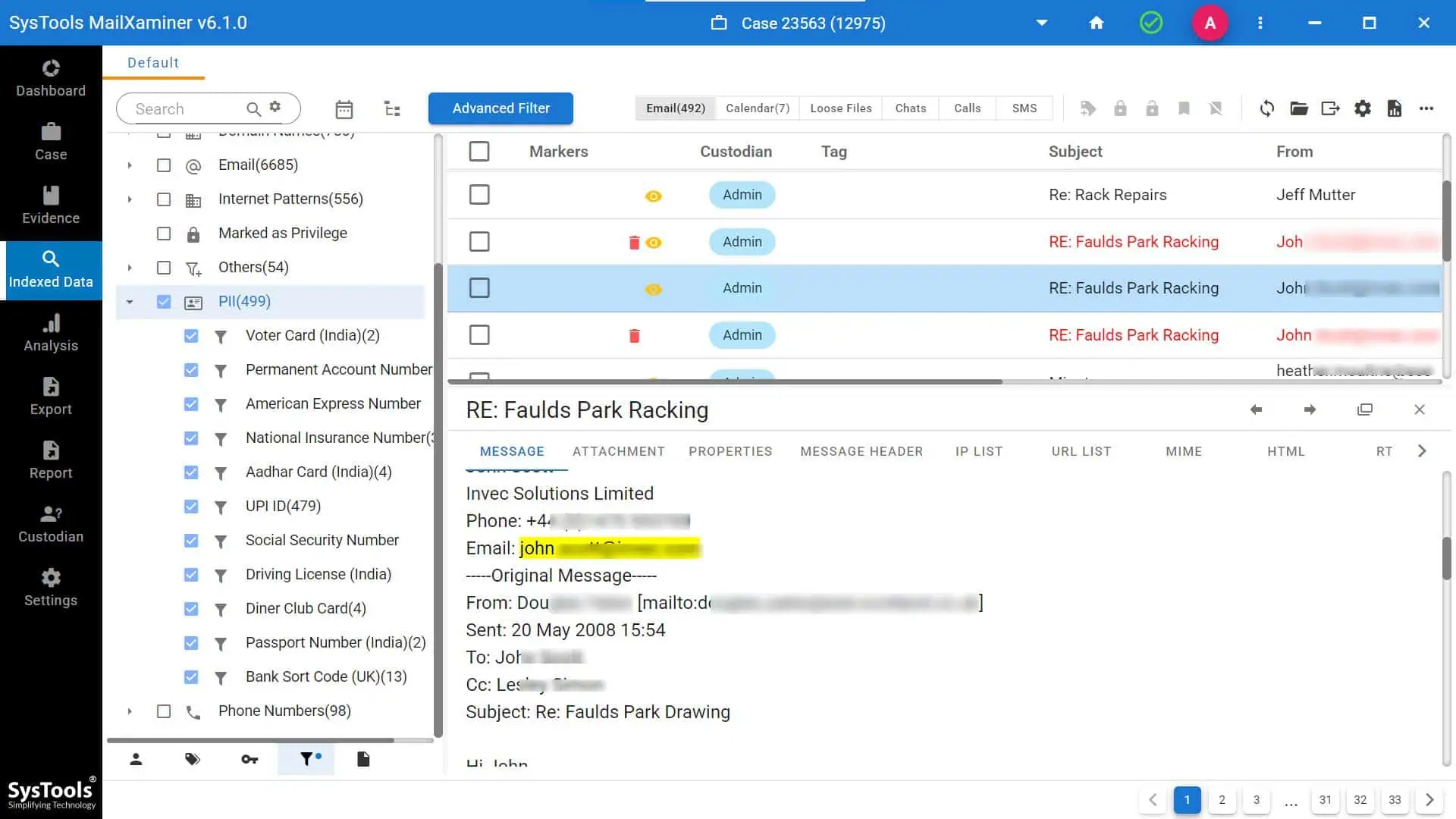
This tool automates the process of scanning emails, check suspicious email attachments, and archiving sensitive information using techniques like pattern matching, regular expressions, machine learning models, etc.
This software is integrated with Office 365 or Gmail environments, can run automated discovery jobs, classify sensitive emails, and generate compliance reports. So, many organizations export Office 365 mailboxes into PST (Personal Storage Table) files for archiving. Investigators and compliance teams often need to search PST files for PII or PHI (Protected Health Information) to meet privacy regulations.
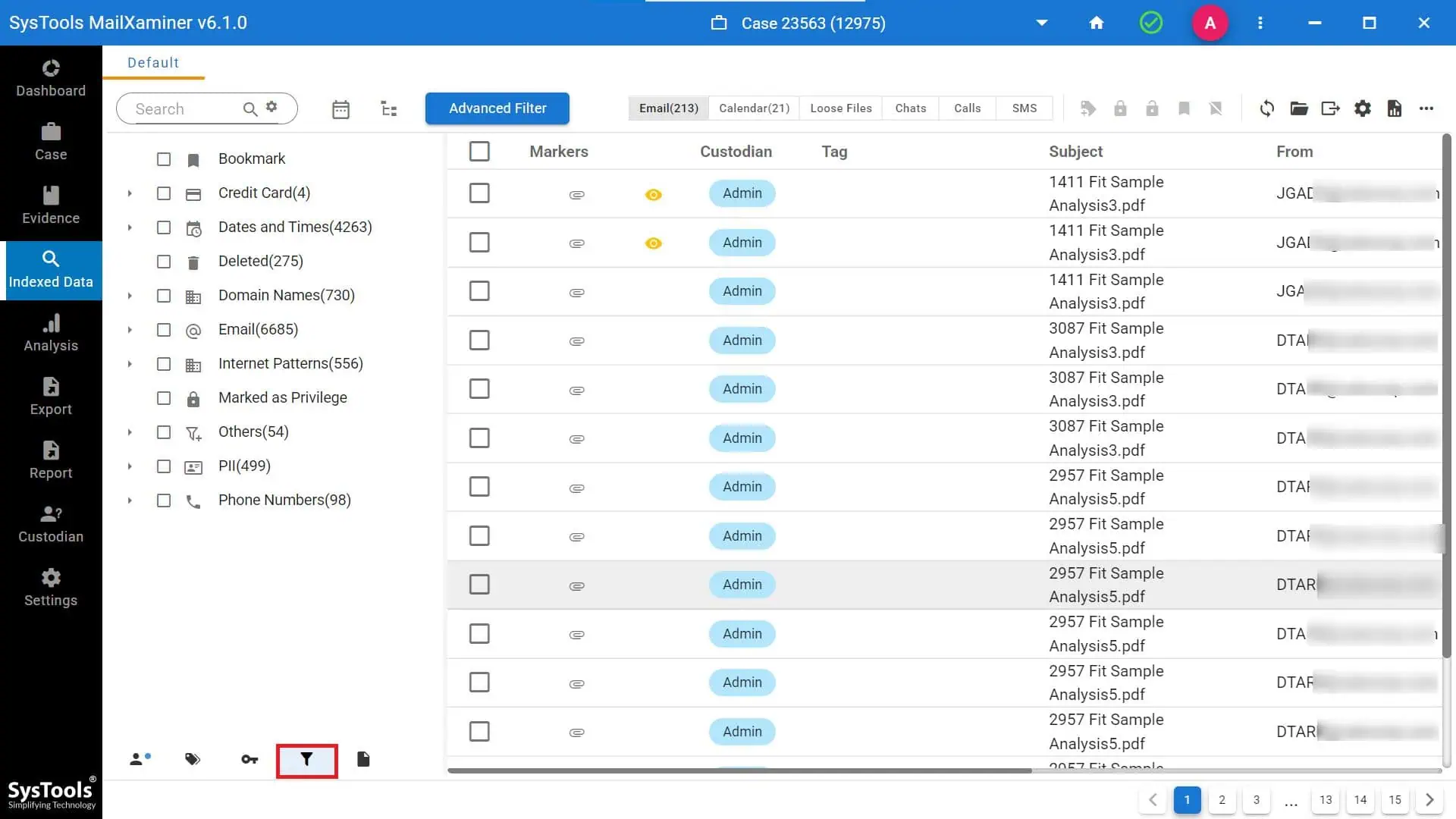
This forensics tool allows deep scanning of PST archives and also enables a keyword search, regex filtering, and entity recognition to detect sensitive data within large volumes of emails.
This software is integrated with Office 365 or Gmail environments, can run automated discovery jobs, classify sensitive emails, and generate compliance reports.
Together, these technologies make it practical to find, classify, and protect PII in massive and complex email ecosystems.
How to Protect Personally Identifiable Information
After performing various tasks on how to fetch the PII or PHI information, it also becomes a crucial task to protect individual privacy and prevent identity theft and other forms of cybercrime. It can be used by cybercriminals against you, as this is the most crucial personal information of any individual.
Here are some of the major steps that can help to protect PII:
1. First, understand what it encompasses
2. Minimizing the PII data collection is a proactive approach
3. You must encrypt your PII information in the fight against PII theft
4. Secure your digital device smartly by using strong passwords and safety privacy
5. He employees and people should know the importance of PII protection
6. Limit the access of PII to the specific individuals who need it.
7. Make sure to regularly update the privacy policies as per GDPR or HIPAA data protection regulations.
Conclusion
It may seem difficult to locate sensitive information in email systems, but it is manageable with the correct strategy. You can find the hidden places of personal information and protect it by combining regex, machine learning, scanning tools, and smart governance.
The main takeaway is that finding PII data is a continuous obligation rather than a one-time task. Start with scanning and inventory, then put ongoing monitoring in place and make sure procedures comply with privacy laws.
The result is stronger security, compliance with laws, and most importantly, protection for the people whose data passes through your inbox every day.
Frequently Asked Questions
Q. What qualifies as PII in email?
Names, addresses, phone numbers, ID numbers, and other identifiers in email bodies, headers, or attachments.
Q. How to detect PII in attachments?
You have the smart tools that can provide you with more advanced technologies like OCR analysis, etc, to detect PII attachments with the help of tags and keyword searches.
Q. How often should I scan emails for PII?
At least quarterly, or more often in high-risk environments.
Q. Is finding PII a legal requirement?
Yes, under GDPR, CCPA, HIPAA, and other privacy laws.